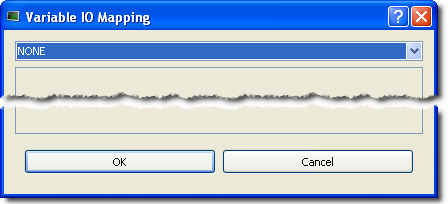
By default the setting is NONE which means that the variable is a standard variable.
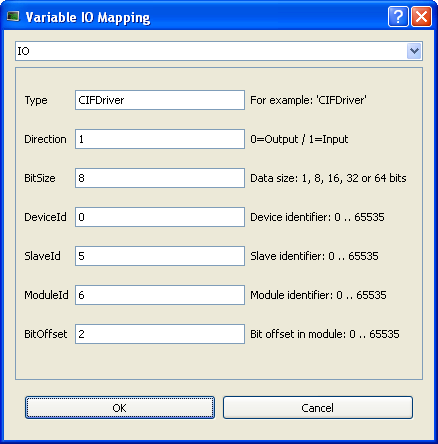
This procedure describes how to map inputs and outputs
The mapping can be done from the Dictionary (as described below), but also with the I/O Editor.
For remote IOs on EtherCATEtherCAT is an open, high-performance Ethernet-based fieldbus system. The development goal of EtherCAT was to apply Ethernet to automation applications which require short data update times (also called cycle times) with low communication jitter (for synchronization purposes) and low hardware costs Motion Bus, refer to Map Input and Output to Variables
To map a variable from the Dictionary to a physical input or output:
By default the setting is NONE which means that the variable is a standard variable.
This form allows you to configure the different types of I/Os supported by KAS by defining the following parameters:
|
Field |
Description |
|
Type |
Defines the I/O type of fieldbus: CIFDriver for Profibus |
|
Direction |
Specifies if the variable is an Output or an Input |
|
BitSize |
Defines the length of the frame to be mapped (see length of data types here) |
|
DeviceId |
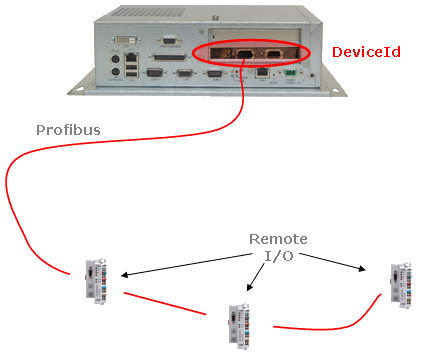
Defines the address of the I/O communication card located on to the target device (i.e. PAC"Programmable Automation Controller" PAC is a compact controller that combines the features and capabilities of a PC-based control system with that of a typical programmable logic controller (PLC). A PAC thus provides not only the reliability of a PLC, but also the task flexibility and computing power of a PC. Additionally, because they function and communicate over popular network interface protocols, PACs are able to transfer data from the machines they control to other machines and components in a networked control system)
|
|
SlaveId |
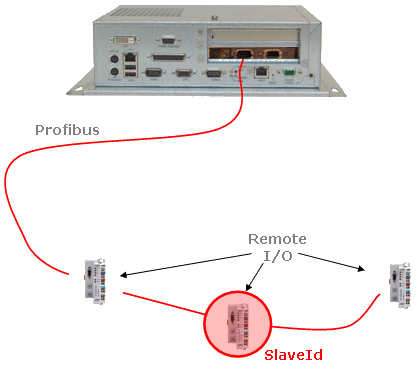
Defines the address of the I/O node on the filedbus ring (Communication and Fieldbus)
For EtherCAT, a fixed address is assigned to each slave node that follows the following convention:
|
|
ModuleId |
For the current variable, defines the address identifier (id) in the slice |
|
BitOffset |
Set to the first bit in the module of the slice which is mapped |
To map a variable on Profibus, define the fields as follows:
|
Field |
Definition |
|
I/O type |
|
|
DeviceId |
Set to 0 |
|
SlaveId |
Set to the id of the I/O node |
|
ModuleId |
Set to the id of the slice. |
|
BitOffset |
Set to the first bit of the slice which has to be mapped |
Table 11-3: I/O Mapping on Profibus
For some drivers, you can also select CUSTOM.
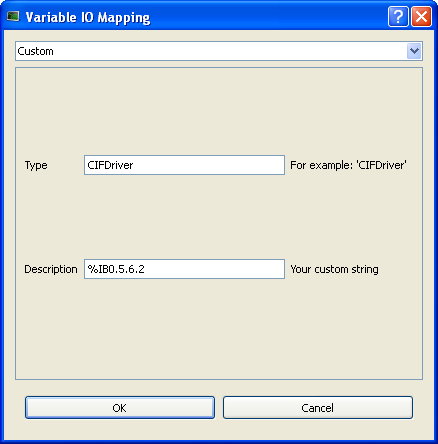
Figure 11-28: Variable I/O Mapping - Custom
For more details about the format of the Description field, It begins with a “%” character.
|
Stay Connected with Kollmorgen       
|
Copyright © 2015 Kollmorgen™ |

|
 See Also